
In summary:
- Recognising fraud requires understanding the criminal’s playbook, not just spotting random anomalies.
- Small, unrecognised charges (e.g., £0.01) are often « card testing » probes before a larger attack.
- Proactive measures like a Cifas registration and real-time bank alerts are your strongest lines of defence.
- Social engineering, like fake « bank investigation » calls, is designed to bypass technical security by manipulating you directly.
- In the event of fraud, your first call is always to your bank to stop the financial bleed; your second is to Action Fraud for a crime number.
That familiar sense of unease while scanning a bank statement is a modern-day instinct. You scroll past the usual debits—rent, groceries, a subscription you forgot about—and then a line item makes you pause. It’s small, maybe even trivial, but it doesn’t belong. Most advice columns will tell you to simply check for transactions you don’t recognise. They’ll advise you to review your direct debits and call your bank if something looks off. While correct, this is surface-level advice. It’s like telling a detective to look for clues without explaining what a clue looks like.
The reality of financial fraud is more methodical and far more subtle than a single, large fraudulent purchase. Criminals operate with a playbook, using specific probes and psychological tricks to test your defences before they strike. To truly protect yourself, you must learn to think like they do. It’s not about what looks odd; it’s about what fits a known pattern of attack.
But what if the most dangerous signs aren’t on your statement at all, but in the calls you receive or the apps on your phone? The modern fraudster’s toolkit is diverse, targeting your digital footprint and your trust with equal precision. The key to financial security isn’t just vigilance; it’s a strategic understanding of the threats.
This guide moves beyond the basics. We will dissect the fraudster’s methods, from the technical purpose of a £0.01 charge to the social engineering scripts that fool even the most cautious individuals. By understanding the criminal’s strategy, you can transform your bank statement from a simple record of transactions into an early warning system.
This article provides a comprehensive forensic review of the threats and your defences. Explore the sections below to learn how to identify, prevent, and react to the sophisticated methods used by identity thieves today.
Summary: How to Spot the Telltale Signs of Identity Theft on Your Bank Statement
- Why Scammers Charge £0.01 Before Emptying Your Account?
- How to Place a Cifas Protective Registration on Your File?
- Experian Identity Plus vs ClearScore Protect: Which Alert Service is Better?
- The ‘Bank Investigation’ Call That Fools Even Smart People
- When to Contact Action Fraud: Immediately or After the Bank?
- How to Use Instant Notifications to Spot Fraud in Seconds?
- The Facebook Check-In Mistake That Voids Burglary Claims
- How to Ensure Your Mobile Banking App Is Safe from Hackers?
Why Scammers Charge £0.01 Before Emptying Your Account?
That minuscule, seemingly insignificant charge of £0.01 from a merchant you’ve never heard of is one of the most critical red flags on a bank statement. It’s not an error; it’s a reconnaissance mission. This tactic, known as card testing, is a fraudster’s primary method for verifying that a stolen credit or debit card number is active and valid. Using automated scripts, or « bots, » criminals test thousands of compromised card details purchased from the dark web. The sheer volume of this data is immense, with one report noting that 269 million card records were posted on the web in 2024 alone.
The process is simple and automated. A bot makes a tiny, low-value transaction that is likely to fly under the radar of both the cardholder and the bank’s basic fraud-detection systems. If the £0.01 charge is successful, the bot receives a confirmation. This « green light » tells the fraudster several things: the card number is correct, the expiration date is valid, the CVV is right, and the account has not been closed. The card is now flagged as a « live » target, ready for a much larger fraudulent purchase or to be sold on to other criminals for a higher price.
To spot these probes requires meticulous review. The merchant name is often gibberish or a slight misspelling of a legitimate company. The key is not the amount, but the unfamiliarity. Ignoring it is like ignoring a burglar testing your front door lock. It’s the prelude to a full-scale breach.
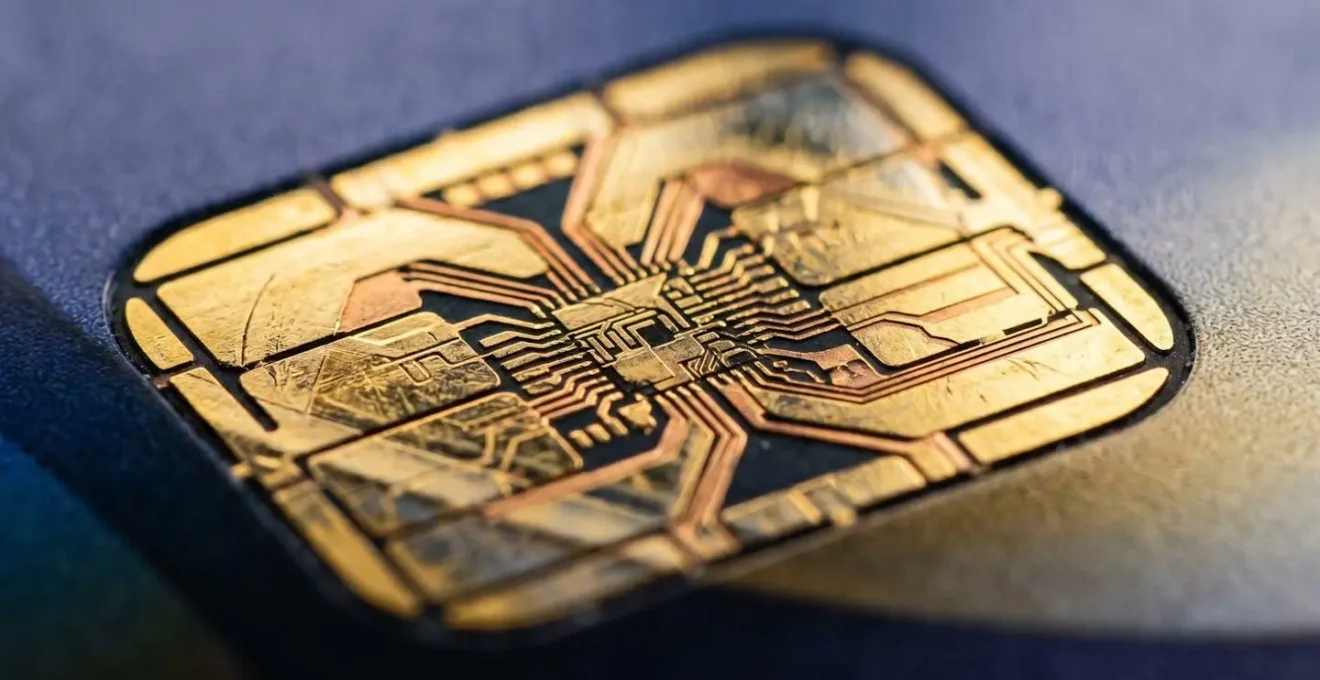
This microscopic view of a card’s chip symbolises the technical nature of the threat. While you see a simple £0.01 transaction, a sophisticated automated process is at work, testing the integrity of your financial data. Treating every line item on your statement with forensic attention is the only way to catch these initial probes.
How to Place a Cifas Protective Registration on Your File?
If you have reason to believe your personal data is at high risk—perhaps after a data breach notification or losing your wallet—one of the most powerful proactive steps you can take in the UK is to apply for a Cifas Protective Registration. Cifas is the UK’s leading fraud prevention service, and this registration acts as a national warning flare for lenders and service providers. When you have a Cifas marker on your credit file, any application for credit or services in your name will be subjected to extra, more stringent checks to verify your identity. This creates a critical « friction point » for fraudsters trying to impersonate you.
Applying is a straightforward process done directly on the Cifas website for a small fee (currently £30 for two years). You will be asked to provide details about why you believe you are at risk. However, it’s not a tool for all situations. It’s crucial to know when to use it, and when not to. For instance, if you’re in the middle of a time-sensitive credit application like a mortgage, a Cifas marker can introduce delays that you cannot afford. Fraudsters act quickly after data is compromised, so the registration is most effective in the immediate aftermath of a data loss event. The scale of the problem is significant, with Cifas sharing data on over 444,000 fraud risk cases in a single year, the highest number ever recorded.
You should consider applying for Cifas Protective Registration in these scenarios:
- You have received a notification from an organisation (like a company or a government body) that your personal information was compromised in a data breach.
- You have lost a wallet, purse, or bag containing important ID documents such as your passport, driving licence, or bank cards.
- You suspect your mail has been stolen or have noticed that expected bank statements or credit card offers are missing, suggesting mail interception.
- You have already been a victim of identity theft, and your personal documents were stolen as part of the crime.
This isn’t a silver bullet, but it is a formidable layer of defence. It tells the financial system to « stop and check, » which is often all that’s needed to thwart an impersonation attempt.
Experian Identity Plus vs ClearScore Protect: Which Alert Service is Better?
While a Cifas marker is a powerful shield, ongoing monitoring is the radar system that detects incoming threats. In the UK, services like Experian Identity Plus and ClearScore Protect offer to watch your back by scanning for fraudulent activity. But which one is better? The answer lies in understanding their fundamental differences and what you need most: direct control or broader coverage for less cost.
Experian is a Credit Reference Agency (CRA) offering its own data, while ClearScore is a credit broker using Equifax data. This distinction impacts the breadth and speed of alerts they can provide.
– Financial Services Analysis, 118 118 Money Credit Score Comparison
This core difference is key. Experian is monitoring its own database, giving it a unique advantage: the ability to offer a Credit Lock feature. This allows you to instantly lock and unlock your Experian credit report, effectively stopping most new credit applications in their tracks. For someone highly concerned about impersonation, this direct control is a significant benefit. ClearScore, using Equifax data, cannot offer this. However, it often comes out ahead on price and bundled extras, such as paying for a Cifas registration and including identity theft insurance for expenses and legal cover.
The choice depends on your specific security posture and budget, as this detailed comparison of alert services shows.
| Feature | Experian Identity Plus | ClearScore Protect Plus |
|---|---|---|
| Monthly Cost | £10.99 | £4.99 (or £49.99 annually) |
| Data Source | Experian (own Credit Reference Agency data) | Equifax data via ClearScore |
| Dark Web Scanning | Daily monitoring | Daily dark web and deep web scanning |
| Credit Report Monitoring | Daily Experian credit report scans | Daily Equifax credit report checks |
| Credit Lock Feature | Yes – lock/unlock Experian credit report | No |
| Identity Theft Insurance | Not included in UK version | Up to £2,500 for expenses + £5,000 legal cover |
| CIFAS Registration Coverage | Not included | Will pay for CIFAS protective registration (£30 value) |
| Email Addresses Monitored | Multiple | Up to 3 email addresses |
| Free Alternative | Free basic Experian account available | Free ClearScore Protect (quarterly scans, 1 email only) |
For the ultimate paranoid user, Experian’s lock is the killer feature. For the budget-conscious user looking for a strong all-round package with insurance benefits, ClearScore Protect Plus presents a compelling case. Both are vastly superior to having no monitoring at all.
The ‘Bank Investigation’ Call That Fools Even Smart People
Perhaps the most insidious threat doesn’t come from a faceless bot but from a calm, professional voice on the other end of your phone. Social engineering scams, particularly the « bank investigation » call, are designed to bypass all technical security by targeting the weakest link: human trust. This tactic, known as vishing (voice phishing), is devastatingly effective. Data from UK Finance reveals a staggering £450.7 million was stolen through Authorised Push Payment (APP) fraud in 2024, much of it facilitated by such deception.
The scam follows a sophisticated script. The fraudster, posing as an agent from your bank’s fraud department, calls you. They may already have some of your personal information from a data breach (like your address or the last few digits of your card), which they use to sound legitimate. They inform you that your account has been « compromised » and that they need your help to « catch the criminal » or « secure your funds. » The pretext is always urgent and relies on creating a sense of panic and a desire to help.
The trap is then sprung: they instruct you to transfer your money to a « new, safe account » they have set up for you. Because you believe you are talking to your bank and are actively « helping » with an investigation, you authorise the payment yourself. To the banking system, it looks like a legitimate transaction—an Authorised Push Payment. This makes recovering the funds incredibly difficult, although new UK regulations are improving reimbursement rates for blameless victims.

The single, unbreakable rule to remember is this: your bank will never, ever call you and ask you to move your money to another account. They will never ask for your full PIN, password, or for you to authorise a transaction to « secure » your funds. If you receive such a call, hang up immediately. Then, call your bank back using the number on the back of your card or on their official website to verify the situation. This simple action disrupts the scammer’s script and re-establishes a secure line of communication.
When to Contact Action Fraud: Immediately or After the Bank?
In the chaotic moments after discovering you’ve been a victim of fraud, a critical question arises: who do you call first? The bank? The police? The answer dictates how quickly you can stop the financial bleeding and begin the recovery process. The protocol is clear and sequential: your absolute first priority is your bank. Your second is reporting the crime to Action Fraud.
Contacting your bank immediately is about damage control. You need them to freeze your accounts, block your cards, and prevent any further unauthorised transactions. This is the financial equivalent of applying a tourniquet. Only once the bleeding has been stopped should you move to the next step. Action Fraud is the UK’s national reporting centre for fraud and cybercrime. Reporting the incident to them is not about initiating an immediate police investigation into your specific case. Its primary purpose, for you as a victim, is to obtain an official Police Crime Reference Number (CRN). This number is non-negotiable proof that you have reported the crime, and it is essential for insurance claims and for formal disputes with financial institutions.
Understanding the role of Action Fraud is crucial to managing your expectations. As one source on law enforcement structures notes, it’s a data analysis centre, not a detective agency for individual cases. The CRN is your key deliverable.
Your Fraud Response Triage Plan: The First 5 Steps
- Step 1: Contact Your Bank Immediately. Call the number on the back of your card to freeze all affected accounts and cards. The goal is to stop any further financial loss instantly.
- Step 2: Report to Action Fraud. Once accounts are secure, report the crime to Action Fraud online or by phone to get your official Police Crime Reference Number (CRN). This is your proof of the crime.
- Step 3: Contact Other Relevant Entities. Depending on the breach, contact your email provider if your email was hacked, your mobile network if a SIM swap is suspected, and credit reference agencies to place fraud alerts on your file.
- Step 4: Document Everything Meticulously. Keep a detailed log of all communications, including reference numbers, dates, times, and the names of everyone you spoke with. This is your evidence file.
- Step 5: Initiate Insurance Claims. If you have identity theft insurance, contact your provider with your CRN and all documentation to begin the claims process.
Following this triage protocol ensures you take the most effective actions in the correct order, maximising your chances of recovery and minimising further damage.
How to Use Instant Notifications to Spot Fraud in Seconds?
In the fight against fraud, speed is your greatest ally. The time between a criminal testing your card and emptying your account can be minutes. The single most effective tool at your disposal for real-time detection is the humble push notification from your banking app. However, simply enabling notifications is not enough. A true investigator configures them with precision to catch the subtlest of clues.
Most people set alerts for large transactions, but this misses the crucial « card testing » phase. The first step is to enable real-time push notifications for all transactions, regardless of the amount. Setting a custom alert threshold to £1 or even lower is vital. An alert for a £0.50 transaction from a company you don’t know is not an annoyance; it’s an alarm bell. Beyond this, you need to configure alerts for specific high-risk transaction types, creating a granular detection network.
An advanced notification setup should include the following configurations, available in most modern banking apps:
- Card-Not-Present (CNP) Transaction Alerts: These are online, phone, or mail-order purchases. As they don’t require the physical card, they are a primary channel for fraud. You want to be notified of every single one.
- Foreign Currency Transaction Alerts: Get an instant ping if your card is used abroad or for a purchase in a currency other than pounds sterling. This immediately flags potential international card cloning.
- Location-Based Alerts (Geofencing): If your bank supports it, this feature can automatically flag transactions made far from your smartphone’s physical location.
- ATM Withdrawal and Balance Threshold Alerts: Be notified of any cash withdrawals and, crucially, if your account balance drops below a certain amount you specify. A sudden drop is a major indicator of an account takeover.
By transforming your phone from a passive device into an active financial watchdog, you shrink the window of opportunity for criminals from days or weeks down to mere seconds. You are deputising yourself as the first line of defence.
The Facebook Check-In Mistake That Voids Burglary Claims
The most devastating financial attacks don’t always target your bank account directly. Sometimes, they target your physical property, using your digital life as their reconnaissance tool. A common and costly mistake is the holiday « check-in » on social media. Announcing to the world that you’re at Heathrow Airport, « off to Spain for two weeks, » is functionally equivalent to putting a sign on your front lawn that reads: « This house is empty. Please burgle at your convenience. »
What many people fail to realise is the direct link this has to their home insurance. Most policies contain a « reasonable care » clause. This clause requires you, the policyholder, to take reasonable steps to protect your property. Broadcasting your absence on a public social media profile can be, and has been, interpreted by insurers as a failure to take reasonable care. If you are burgled while you are away, an insurer could argue that you invited the risk by publicly advertising your empty home. This could lead to a reduced payout or, in the worst-case scenario, a voided claim.
The threat is not hypothetical. Burglars are known to monitor social media for exactly this kind of information. Your digital footprint can create a very real physical vulnerability. The solution requires strict digital hygiene, especially when travelling. The core principle is simple: post your holiday photos after you get back.

To avoid this costly mistake, you must treat your travel plans like sensitive security information. Before you travel, set your social media profiles to private. Resist the urge to post real-time updates, stories, or check-ins. Disable location tagging in your phone’s camera settings. Your online discretion is a critical layer of your home’s physical security system.
Key takeaways
- Financial self-defence requires thinking like a criminal: look for patterns, not just anomalies.
- Proactive measures (Cifas, granular alerts) are always more effective than reactive responses.
- The biggest security vulnerability is often human trust, which is exploited by social engineering tactics like vishing.
How to Ensure Your Mobile Banking App Is Safe from Hackers?
Your mobile banking app is the command centre of your financial life. Securing it is not just about having a strong PIN. Hackers use sophisticated methods to bypass app security, and protecting yourself requires hardening the entire ecosystem your phone operates in. Two of the most significant threats are SIM-swapping and malicious apps with excessive permissions.
SIM-swapping is a particularly dangerous form of account takeover. A fraudster uses social engineering to convince your mobile network provider to transfer your phone number to a SIM card in their possession. Once they control your number, they can intercept the one-time passcodes (OTPs) sent via SMS that are used for password resets and authorising transactions. To defend against this, you must contact your mobile provider and set up a verbal password or a unique PIN on your account. This adds a critical layer of verification that must be provided before any changes, including a SIM swap, can be authorised.
The other major vulnerability comes from the apps you install. Many apps request more permissions than they need, with the « draw over other apps » permission being one of the most dangerous. A malicious app with this permission can create a fake login screen that sits on top of your real banking app. When you enter your credentials, the malicious overlay captures them. You must regularly audit your app permissions and remove this capability from any non-system app that doesn’t have a legitimate need for it. Finally, never conduct banking on a « rooted » or « jailbroken » device, as this fundamentally breaks the built-in security of the operating system and may void your bank’s fraud liability.
Your mobile security checklist must include:
- Downloading apps exclusively from official sources like the Google Play Store or Apple App Store.
- Keeping your phone’s operating system and all apps constantly updated.
- Using multi-layered security, enabling biometric authentication (fingerprint or face ID) in addition to a strong PIN.
- Avoiding public Wi-Fi for banking transactions; use your mobile data or a trusted VPN instead.
- Setting up a verbal password with your mobile network provider to prevent unauthorised SIM swaps.
By adopting this investigative mindset and implementing these layered defences, you can move from being a potential victim to a vigilant guardian of your own financial integrity. The first step is to apply this knowledge, starting with a forensic review of your bank statements and security settings today.